
- Last updated:
- 15 min read
Title: How to Pick an App to Track Multiple Income Streams (and Plan by the Week)
Meta description: Compare apps to track multiple income streams, then plan by the week so rent clears before the next deposit. Includes a worked example with dates and dollar amounts.
If you juggle a salary, clients, and platform payouts, the question an app to track multiple income streams has to answer is whether next week's bills will clear before the next deposit. We built Cash Flow Calendar after month-based budgets kept failing us on exactly that question.
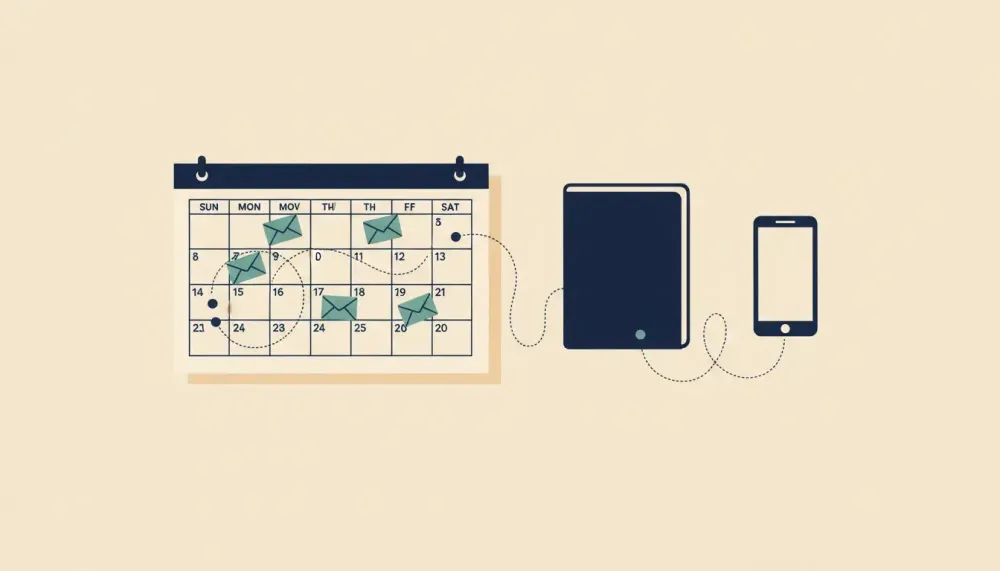
Maya is a composite built from common situations. She works full time in medical billing for $1,500 every other Friday, keeps the books for two freelance clients, delivers for DoorDash on weeknights, and earns small affiliate payouts from her food blog. Her $1,600 rent is due on the 14th and her biggest client tends to pay on the 15th, so one day decides whether her week works, and she needs a calendar view of upcoming bills and income, a projected balance for each day, and a clear label for each income stream so she can see what money covers what. A dashboard shows what already happened and an accounting app keeps your books, but neither one shows you next Monday.
Top Picks at a Glance (Quick Recommendations)
We'd pair two tools: one that records income for taxes and one that plans cash.
- Best for 1099 taxes and mileage: QuickBooks Self-Employed (or QuickBooks Solopreneur)
- Best for freelancers with client projects and invoicing: FreshBooks
- Best budget-friendly accounting with multi-currency: Zoho Books. It offers full accounting with banking rules and multi-currency support.
- Best free starter for ultra-lean side hustles: Wave Accounting
- Best track side hustles app for gig drivers: Hurdlr
- Best mileage and receipt tracking: Everlance
- Best personal budgeting for irregular income smoothing: YNAB (You Need a Budget)
- Best personal finance overview with granular tagging: Monarch Money or Copilot Money
- Best spreadsheet-first multiple income stream tracker: Tiller Money
- Best for creators and ecommerce sellers: QuickBooks Online plus A2X (or an equivalent settlement app)
- A note on free plans: Free tiers change often and tend to cap streams, history, exports, or extras like mileage, so check the current plan page before you move three clients' worth of data in.
Cash Flow Calendar doesn't replace any of these. It pairs with the accounting or budgeting app you choose and shows weekly cash timing for each stream.
What Is an App to Track Multiple Income Streams? (And What It Isn't)
"Tracking income" covers three different jobs, and most apps only do one or two of them well.
- Recording income. This is a log of what came in, from where, and what it cost you. It exists mainly for taxes. IRS Publication 583 (2024) says business records must support the income, expenses, and credits you report (IRS).
- Forecasting expected income dates. This means knowing when each payout should land, not only how much it should be.
- Planning cash available after tax reserves. This is what you can actually spend once money set aside for estimated taxes is taken out.
Each dollar also passes through three states. Take Maya's $900 invoice:
- Earned today: She finished the work on the 3rd. It's real income, but it can't pay rent.
- Expected on a date: The invoice says the client pays on the 15th. That's a plan, not money.
- Received in account: The $900 shows up in checking. Only now does it count toward rent.
Some simpler trackers lean on manual entry, which suits privacy-first people.
How It Differs from Related Tools
Accounting apps like QuickBooks, FreshBooks, and Zoho Books record what happened. They're built for invoices, categories, and tax forms. They look backward, and that's their job.
Budgeting apps like YNAB assign money you already have to categories. That's useful, but if your app only shows categories, it won't show you that your rent hits a day before your client pays.
Net worth trackers and dashboards like Monarch Money and Copilot Money show the big picture across accounts. If your app only shows the big picture, it won't tell you whether checking goes negative on Monday.
A calendar planning layer fills the gap irregular income creates. Cash Flow Calendar is that weekly planning layer. It puts upcoming bills and income on a calendar and projects your balance for every future day, alongside whatever accounting or budgeting app you keep. You can connect a bank through Plaid or enter everything by hand.
Plan by Week, Not Month: A Worked Example
Here's one week of Maya's problem, with numbers we made up for illustration. On Thursday the 10th, her checking account holds $700. All of it is money she's saving for the $700 quarterly estimate she's scheduled to send on the 28th.
Income, with a shorthand color per stream:
- Paycheck (blue): $1,500 on Friday the 11th
- DoorDash (orange): about $55 a day, cashed out Monday the 14th to Thursday the 17th, $220 total
- Freelance invoice (green): $900 expected Tuesday the 15th
- Affiliate payout (purple): $130 on Wednesday the 23rd
Bills:
- Rent: $1,600 on Monday the 14th
- Car insurance: $120 on Wednesday the 16th
- Phone: $80 on Thursday the 17th
- Subscriptions: $60 on Friday the 18th
- Quarterly estimate: $700 on Monday the 28th, the day she's scheduled to send it
First pass, with tax money counted as spendable. Checking reaches $2,200 on Friday and drops to $655 after rent on Monday. It climbs to $1,610 when the invoice lands Tuesday and ends the month at $890 after the tax payment. It never goes below zero, so it looks fine.
Second pass, with the $700 moved to savings as a tax reserve. Checking starts at $0 and rises to $1,500 on Friday. On Monday it falls to negative $45, because $1,500 minus $1,600 plus $55 from DoorDash comes to that. The invoice fixes it on Tuesday (negative $45 plus $55 plus $900 is $910). Insurance, phone, and subscriptions bring it to $760 by Friday, and the affiliate payout lifts it to $890 on the 23rd. The tax bill comes out of savings, so checking still ends at $890.
The ending number is the same. The difference is that the second view shows Monday honestly. In the first view, Maya was quietly paying $45 of rent with her tax money.
Now say the client pays a week late, on Tuesday the 22nd. Checking goes negative on the 14th, is barely positive on the 15th, then stays below zero for six days from the 16th to the 21st, bottoming out at negative $140 on Friday the 18th. With the tax money mixed in, checking would have shown a calm $560 that Friday. The tax money would have silently covered the gap, and she'd never have seen it.
The colors do the explaining. Blue covers $1,500 of the $1,600 rent, while orange and green fund the rest of the week.
Maya has three honest fixes for the $45 gap:
- Ask the client to pay by Friday.
- Cash out a weekend DoorDash shift before Monday.
- Make a planned $45 transfer from the tax reserve and pay it back Tuesday.
How to Choose the Best Portfolio Career Finance App
Start with timing. If an app can't answer the questions below, pair it with something that can.
Timing criteria for a weekly planning workflow:
- Can you give irregular income an expected date, not just an amount?
- Can you see a projected balance for each day, not only monthly totals?
- Can you keep predictable income (salary) separate from uncertain income (invoices, tips)?
- Can you line up each payout against the bills due around it?
Test each app against Maya: could it show that her rent on the 14th lands a day before her client pays on the 15th?
Integration and tagging criteria still matter:
- Connections to your banks, processors (Stripe, PayPal, Square), and platforms (Uber, DoorDash, Upwork, Etsy, Shopify)
- Categories that match Schedule C, plus custom tags by stream, client, or platform
- Auto-categorization rules by payee or memo
- Invoice-to-deposit matching and settlement breakdowns showing fees and refunds
- Quarterly tax estimates, mileage, and receipt capture
- CSV or PDF exports you can hand to a tax preparer or take with you if you switch
Before you pick, count your streams now and in 12 months, and list the integrations you can't live without.
The Best Multiple Income Stream Tracker Apps Compared
Features and plan limits change, and we haven't verified each one, so treat every "check" line as a list of questions for the current plan page.
QuickBooks Self-Employed / QuickBooks Solopreneur
This is for solo 1099 earners who want Schedule C categories, automatic mileage, receipt capture, and quarterly tax estimates. Reporting by stream is lighter than in QuickBooks Online.
Check: per-stream profit, mileage, receipts, recurring entries, exports, and free-plan caps on streams or history.
QuickBooks Online + A2X (or equivalent settlement app)
This is for Shopify, Amazon, and Etsy sellers who need payouts broken into sales, fees, refunds, and sales tax, with profit by channel. It's precise, but it takes more setup.
Check: per-stream profit, mileage, receipts, recurring entries, exports, and free-plan caps on streams or history.
FreshBooks
This is for freelancers and consultants. It handles time tracking, estimates, invoices, retainers, and project profitability, so each client reads as a stream. Its marketplace ecosystem is smaller than QuickBooks Online's.
Check: per-stream profit, mileage, receipts, recurring entries, exports, and free-plan caps on streams or history.
Zoho Books
This is full accounting with strong banking rules, projects, workflow automation, and multi-currency. It's good value if you'll put in the setup time.
Check: per-stream profit, mileage, receipts, recurring entries, exports, and free-plan caps on streams or history.
Wave Accounting
Wave offers free invoicing and basic income and expense tracking, and receipt capture has historically been a paid add-on. It's fine for one or two streams, and thin on reporting beyond that.
Check: per-stream profit, mileage, receipts, recurring entries, exports, and free-plan caps on streams or history.
Hurdlr
Hurdlr detects mileage automatically and shows profit and tax estimates as you go, and it adds light invoicing. It isn't double-entry accounting.
Check: per-stream profit, mileage, receipts, recurring entries, exports, and free-plan caps on streams or history.
Everlance
Everlance detects trips automatically and captures receipts for tax-ready mileage reports. Its bookkeeping is limited, so plan to pair it with something else.
Check: per-stream profit, mileage, receipts, recurring entries, exports, and free-plan caps on streams or history.
YNAB (You Need a Budget)
YNAB uses envelope budgeting, which suits irregular income because you only budget money you actually have. It doesn't do invoicing or tax forms.
Check: per-stream profit, mileage, receipts, recurring entries, exports, and free-plan caps on streams or history.
Monarch Money or Copilot Money
These aggregate your accounts with custom tags and trend views. They're strong for the big picture, but they don't invoice or produce tax forms.
Check: per-stream profit, mileage, receipts, recurring entries, exports, and free-plan caps on streams or history.
Tiller Money
Tiller sends bank feeds into Google Sheets or Excel, so you get as much customization as your spreadsheet skills allow. You also own the maintenance.
Check: per-stream profit, mileage, receipts, recurring entries, exports, and free-plan caps on streams or history.
Where the calendar fits. Keep any of these as your record, and put the timing in Cash Flow Calendar. A QuickBooks or FreshBooks user enters invoice due dates as expected income. A Hurdlr or Everlance driver enters weekly payout days. If your budgeting app doesn't show a projected balance by day, the calendar adds it. Plans and the free trial are on our pricing page.
Lightweight Track Side Hustles App Options (Fast Capture on the Go)
If you have two or three streams and little invoicing, a light app like Hurdlr, Everlance, or Stride is enough for capture. Picture a weekend rideshare driver who also tutors twice a week. They don't need double-entry books, but they do need to know whether Thursday's car payment clears.
A light tracker still won't plan your week, so here's a three-step routine:
- Capture in the tracker. Log miles, receipts, and each payout as it happens.
- Put timing on a calendar. In Cash Flow Calendar, add each stream's expected payout days and your upcoming bills, using recurring entries for anything weekly or biweekly.
- Label and check. Give each stream a clear name and scan the next seven days of projected balance every Sunday. If a day dips, you'll see which stream was supposed to cover it.
Step-by-Step: Set Up Your App to Track Multiple Income Streams
- List every stream and its payout schedule. Salary every other Friday, DoorDash daily or weekly, Upwork after its holding period, Etsy on its deposit schedule. Note which account each one lands in.
- Connect accounts safely. Use read-only access and turn on two-factor authentication everywhere. In Cash Flow Calendar, you can connect a bank through Plaid (United States and Canada) or skip that and enter everything by hand.
- Tag income by state. Earned work lives in your accounting app as invoices. Expected income goes on the calendar with a date. Received income is what's actually in the account.
- Enter payouts as recurring entries where you can. Use weekly, biweekly, semi-monthly, or custom schedules. Use one-off entries for invoices.
- Mark uncertain income. We add "maybe" to the entry name for any invoice that has slipped before, so it never looks as solid as a paycheck.
- Set up a tax reserve. Keep estimated tax money in a separate account and record a transfer each time you move money into it. That way your checking projected balance excludes it. See our guide to estimating quarterly taxes.
- Build categories and tags. Align with Schedule C, tag by stream or client, and keep naming consistent ("Client: Harbor Dental," never also "Harbor"). Track deductible expenses as you go.
- Check the calendar view. Confirm the projected balance stays positive on your big dates: rent day, insurance day, and the day your quarterly estimate goes out.
- Close each month in about 20 minutes. Reconcile, clear uncategorized items, export CSV and PDF backups, and review the next six weeks.
Handling Delays, Partials, Refunds, and Holds
Real payouts are messier than the invoice suggests. A few rules keep the projected balance honest.
- Use conservative dates. If a client's terms say 15 days but they usually take 25, put day 25 on the calendar. Do the same for a marketplace that holds funds from new sellers.
- Split partial payments. Say a client pays $450 of a $900 invoice. Record the $450 as received and move the remaining $450 to a new expected date, not the old one.
- Treat refunds and chargebacks as outflows. A refund request on an Etsy order is a future bill, so put it on the calendar now.
- Keep uncertain income separate. A "maybe" invoice sitting beside your paycheck can hide a shortfall. Check whether the week still works without it.
When a payout slips, update the date the same day. A stale entry is worse than no entry because it tells you you're fine.
Use-Case Blueprints (Do This If You're...)
Gig Driver/Rideshare/Delivery
Tools: Hurdlr or Everlance, plus YNAB or Monarch Money.
- Set expected weekly payout windows for each platform, such as Uber on one day and DoorDash on another.
- Reserve fuel and maintenance in budget categories before counting the rest as spendable.
- Confirm the projected balance covers your insurance payment before the next deposit, not after.
Freelancer/Consultant/Agency-of-One
Tools: FreshBooks or QuickBooks, plus time tracking.
- Create an expected date for every invoice the day you send it.
- Review the projected balance for the three days around rent day, which is Maya's danger zone. For seasonal clients, see our notes on planning for seasonal work.
Creator/Ecommerce Seller
Tools: QuickBooks Online plus A2X or a similar settlement app.
- Map each channel's settlement days and any holds.
- Enter expected payouts net of fees, not gross sales.
- Check the projected balance before ad spend or software renewals hit your card.
Airbnb hosts and resellers can follow the same pattern. Give each property or platform its own label and enter payouts on the dates they actually arrive.
Pro Tips to Maximize Clarity and Save on Taxes
- Keep the tax reserve out of spendable cash. This is the one we'd keep if we could only keep one. Use a separate account or category, and exclude it from your projected balance. Maya's example shows why.
- Plan predictable and uncertain income differently. Build the week on salary and settled payouts. Treat invoices and tips as upside until they land.
- Use separate calendars if it helps. Cash Flow Calendar supports multiple calendars per account, so business and personal bills can each get a clean view.
- Record daily, even roughly. A 2025 IRS recordkeeping page says a system can be as simple as a calendar showing business income earned and expenses paid each day (IRS).
- Separate business and personal accounts at least per tax entity, and use the same tag for each stream everywhere.
Common Mistakes to Avoid
- Planning with monthly totals. A month that nets positive can still go negative on the 14th.
- Blurring earned, expected, and received. Only received money pays bills.
- Spending the tax reserve.
- Letting uncategorized transactions pile up past a month.
- Relying only on bank feeds as a marketplace seller and skipping the settlement details.
- Skipping two-factor authentication.
Security and Privacy Checklist
- Confirm read-only access for every bank and platform connection.
- Turn on two-factor authentication and use a unique password for each financial app.
- Review connected apps every quarter and revoke the ones you've stopped using.
- Export backups in CSV and PDF so you're never locked in.
- Choose manual entry if you like. If you'd rather type in five payouts a week than connect a bank, that's a valid zero-connection workflow, and Cash Flow Calendar works fully without a bank link.
Keep receipts and tax documents in your accounting app. Use the calendar for planning.
Pricing, Trials, and ROI
Free plans are a good way to test, but they often limit exactly what multi-stream users need:
- The number of income streams, businesses, or connected accounts
- How much history you can see
- Export formats (some allow PDF only, or none)
- Advanced analytics and per-stream reports, which are sometimes locked to paid plans
Measure ROI in time and in avoided surprises. Say an app saves you 30 minutes a week on categorizing, and it catches one week like Maya's $45 shortfall before rent bounces. You can decide whether that's worth a subscription, and we can't decide it for you.
To test, pull in or enter 90 days of history and use it to set expected dates for each stream. Then, during the trial, compare each week's projected balance to the actual balance. If it's off, find out whether the dates were wrong or the app was. Cash Flow Calendar details are on our pricing page.
Conclusion and Next Steps
Maya didn't need a better monthly total. She needed to see Monday the 14th before it happened. If your income arrives the way hers does, take these three steps:
- Pick two contenders from the list above and trial them side by side.
- Put your next six weeks of upcoming bills and income on a calendar, with expected dates for every irregular payout.
- Start a Cash Flow Calendar trial, enter each income stream, and check whether next week clears before your next deposit without touching your tax reserve.

Written by
Philipp AlbrechtPhilipp Albrecht is the founder of Cash Flow Calendar. He spent years as a freelancer and built the app after missing a rent payment while waiting on client invoices — not because he didn't have the money, but because it hadn't landed yet. Everything on this blog comes from that problem: knowing what's coming in, what's going out, and on which day.
FAQs
Move estimated tax money to a separate savings the day you are paid. Record it as a transfer so your spending view reflects only what is available. If a shortfall appears, make a small, clearly labeled transfer back and repay it on the next deposit so the gap is visible rather than hidden.
Related Articles
Budget Calendar Excel Template: Plan Bills and Expenses
Jun 27, 2026
Best Bill Organizer App for Android and iPhone: Top Picks
Jun 22, 2026
Best Paycheck to Paycheck Budgeting App Buyers Guide
Jun 21, 2026
Best App to Track Bill Due Dates: Picks for On Time Bills
Jun 21, 2026
Best App That Shows Future Bank Balance and Cash Flow
Jun 20, 2026
Calendar Based Budgeting App to Plan the Next 30 Days
Jun 19, 2026
Best Personal Cash Flow Software for Smarter Budgeting
Jun 18, 2026
Cash Flow Calendar App: Predict Daily Balances, Prevent Gaps
Jun 18, 2026
12 Best Financial Software for Independent Contractors
Jun 17, 2026
Variable Income Budget Template for Irregular Pay Guide
Jun 16, 2026

Best Freelance Income Tracker App: 12 Picks With Forecasts
Jun 15, 2026
Best Calendar Budget Apps in 2026
Oct 8, 2025
Free Printable Monthly Money Calendar (PDF Template)
Oct 8, 2025
YNAB vs. Cash Flow Calendar: Which Budgeting App Fits You Best?
Oct 8, 2025
Top 7 Budgeting Apps for Freelancers to Manage Finances Efficiently
Aug 18, 2025
YNAB (You Need a Budget) for Freelancers: Is It Worth It?
Aug 19, 2025
Wave vs FreshBooks: Which Invoicing Tool is Best for Freelancers?
Aug 19, 2025

