
- 11 min read
Maya is a freelance graphic designer who gets paid in uneven chunks, three to five times a month, by ACH transfer and Stripe payout. Her $1,400 rent leaves her account on the 1st, often a few days before the next Stripe payout lands. She assigned every dollar a category, and her checking account still ran short mid-month. So she searched for a YNAB alternative.
We know that search. We built our own tool because month-based budgets kept failing us when our income showed up in lumps. Rent, utilities, and a credit card minimum don't care that a client pays net 30.
We'll walk through a calendar-first month so Maya can answer one question: what can I spend this week? Then we'll help her pick a tool that fits, without a 40-item feature list.
Categories do not fix timing problems
A category tells you what money is for. It doesn't tell you when the money will be in your account. Those are two different problems, and a budget can solve the first one perfectly while ignoring the second.
Say your categories add up to $3,200. Yet checking falls to $84 on the 10th because rent and utilities clear before the next payment.
Nothing in that budget was wrong. The money existed on paper. It just wasn't in the account on the day the bills cleared.
Maya isn't unusual. In 2024, 11% of U.S. adults said they had struggled to pay bills in the previous 12 months because their income varied, up from 10% in 2023, according to the Board of Governors of the Federal Reserve System (2024).
The Consumer Financial Protection Bureau (2024) says a cash-flow budget is especially important for people with irregular, seasonal, or one-time income, because it projects not only how much money will arrive and be spent, but when.
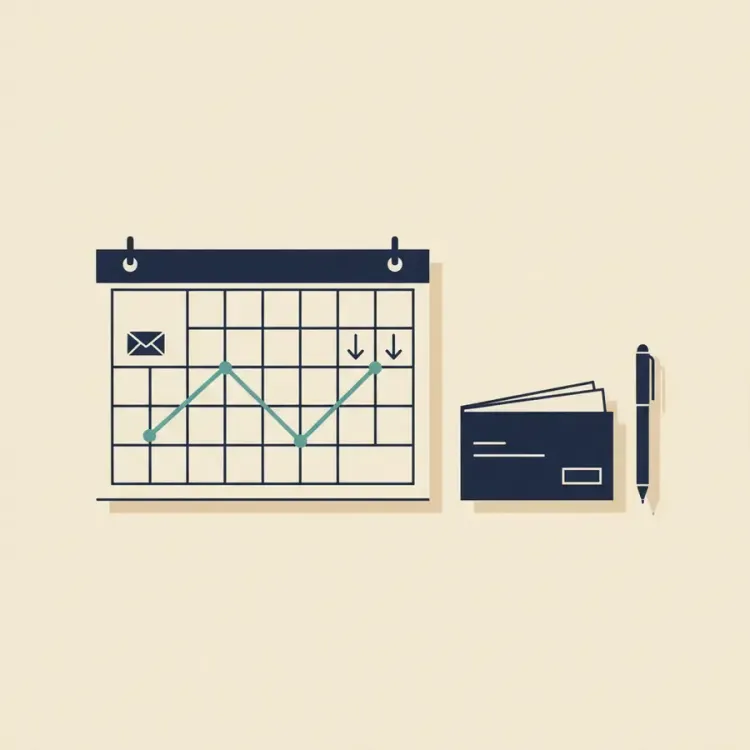
Categories solve purpose. Calendars solve timing. A full rent category doesn't make her $1,400 clear on the 1st. Her ACH landing first does, and a calendar shows whether it will.
What a calendar-first plan looks like
A calendar-first plan has three parts.
Upcoming bills and income. You put every bill and every expected deposit on a calendar, on the date it actually hits. That includes one-offs, like a $300 annual software renewal or an invoice a client promised for "next week."
Projected balance. This is the running total for each future day after all the scheduled money in and out. It's the number your bank account will probably show on that date if your plan holds. If you trust that number, you can stop guessing.
Review weekly. Once a week, look two weeks ahead. If any day dips too low, adjust a date, adjust an amount, or hold back a small buffer.
The Consumer Financial Protection Bureau (2024) states that if the timing of income doesn't match the timing of expenses, people may come up short. Its cash-flow guidance recommends tracking when income and expenses occur, not only their amounts.
For Maya, in a month when her Stripe payout slips to the 6th instead of the 3rd, that payout sitting next to a $1,400 rent on the 1st shows the gap right away.
A worked month with variable income: will the money last?
Let's build one month for Maya. These are example numbers, not her real bank data, but they're shaped like a real freelance month. In this example, the 1st is a Monday and groceries hit on Saturdays.
- Starting balance on the 1st: $1,250
- Expected income: $1,200 on the 3rd, $600 on the 11th, $1,800 on the 18th, $900 on the 27th
- Bills: rent $1,400 on the 1st, utilities $160 on the 7th, phone $85 on the 12th, insurance $120 on the 15th, credit card minimum $220 on the 25th, subscriptions $45 on the 28th
- Groceries and fuel: $150 per week, on the 6th, 13th, 20th, and 27th
We'll use a comfort buffer of $300 to mark "too low." That's a working target for this example, not a rule. Yours might be higher or lower.
Week 1 check-in
- 1st: $1,250 minus $1,400 rent = -$150 projected
- 3rd: plus $1,200 income = $1,050
- 6th: minus $150 groceries = $900
- 7th: minus $160 utilities = $740
The 1st is the problem. On paper, Maya is $150 below zero for two days. That could mean an overdraft fee, a declined payment, or an awkward text to her landlord. We can't tell you which, because that depends on her bank and her landlord.
Through the 10th, her safe-to-spend is $740 if she's fine holding no buffer, or $440 if she wants to keep the $300 buffer intact. That's a real choice, and only Maya can make it. We'd lean toward $440.
Week 2 check-in
- 11th: plus $600 income = $1,340
- 12th: minus $85 phone = $1,255
- 13th: minus $150 groceries = $1,105
- 15th: minus $120 insurance = $985
The lowest projected balance before the 18th is $985, from the 15th through the 17th. That's comfortably above the $300 buffer. Week 2 is boring, and boring is good.
Week 3 check-in
- 18th: plus $1,800 income = $2,785
- 20th: minus $150 groceries = $2,635
- 25th: minus $220 credit card minimum = $2,415
The balance is strong here. Maya can see the $220 minimum on the 25th sitting a week after the $1,800 deposit on the 18th. That's how she answers "what can I spend this week" without guessing. She knows what's coming, and she knows what's left after it.
Week 4 check-in
- 27th: plus $900 income = $3,315, then minus $150 groceries = $3,165
- 28th: minus $45 subscriptions = $3,120
Say groceries run $50 over on the 27th. The balance would be $3,115 that day and $3,070 after subscriptions. It never comes close to $300 in Week 4.
So the only "too low" moment all month was the 1st. That's the pattern in this example month, and it's the one that bit us: the month ends fine and starts badly. A monthly budget averages that problem away. A daily projected balance shows it.
The exact crunch scenario
Now a stress test, separate from the month above. Say Maya's account is at $0 when $1,800 lands on Thursday the 18th. But $2,050 in bills are due before her next expected payment on the 27th. She faces a $250 shortfall.
She has three levers:
- Cut variable spending by $150 in that window. The shortfall shrinks to $100. Helpful, not a full fix.
- Move a non-penalty bill due on the 22nd or later by 5 days, so it lands after the 27th. If that bill is at least $250, the shortfall disappears.
- Hold back a $300 buffer from an earlier deposit. The shortfall is covered, and the balance stays $50 above zero.
The second lever is one the Consumer Financial Protection Bureau (2024) recommends: change the timing of bill payments or due dates when possible, so expenses better match the times of the month when income arrives. For Maya, asking to move a due date from the 1st to the 5th could take the pressure off the 1st in months when a payout lands by the 5th. We don't know how often landlords or billers agree, but asking costs nothing.
How to choose a YNAB alternative when your income is variable
Start with your main pain. If it's "I don't know where my money goes," you need tracking. If it's "my money runs out before my next payment," you need timing. Maya's problem is timing.
That's why the Consumer Financial Protection Bureau (2024) flags cash-flow budgets for irregular income.
When you compare YNAB alternatives for variable income, sort them by how they work:
- Envelope and zero-based systems help with purpose. They can miss timing unless you pair them with a calendar.
- Calendar and forecasting tools show daily balances and bill timing. Freelancers often need this first.
- All-in-one dashboards add net worth and investments. They may take extra steps to give you weekly cash control.
One test works for any tool. Can you see, on one screen, the next two weeks of bills lined up against expected deposits, with a balance for each day? If not, you'll be doing that math somewhere else.
Where Monarch Money, EveryDollar, PocketSmith, and others fit for irregular income
Each of these alternatives to YNAB solves a different problem. Apps change often, and we don't track every competitor's roadmap. Treat this as a starting point and check current features before you sign up.
- Monarch Money. Strong household tracking, investments, and budgeting in one place. Good if you want net worth and shared budgets together. If you're looking for a Monarch Money alternative because of uneven pay, first confirm whether it lets you line up the next two weeks of bills against expected deposits at a glance.
- EveryDollar. Familiar zero-based habits. Works if you love assigning each dollar a job. If you're after an EveryDollar alternative only because of mid-month dips, you might not need to switch. Adding a weekly calendar check may be enough when paydays slide.
- PocketSmith. Forecasting and daily balances are front and center. Useful if you want to see balances by day over weeks and months. If you're after a PocketSmith alternative, it's probably because you want the same idea with a simpler setup.
- Tiller. Spreadsheet-first. Great if you like building your own weekly calendar and projected balance sheet. Less great if spreadsheets make you tired.
- Quicken Simplifi and Copilot Money. Polished spending plans with recurring bill tracking. Suits people who want automation and a simple overview. Add a weekly two-week lookahead to handle uneven pay.
For Maya, the problem is the 1st. A tool that shows her projected balance on that date, before it arrives, would do more for her than a better net worth chart. She'd see the -$150 a week early and pull a lever.
Walkthrough: plan a freelance month in Cash Flow Calendar
This is how Maya's example month would come together in Cash Flow Calendar.
First, she creates a calendar and sets her starting balance at $1,250.
Next, she adds recurring income and expenses on their schedules. Rent is $1,400 monthly on the 1st. Utilities, phone, insurance, the card minimum, and subscriptions go in as monthly items. Groceries go in at $150 weekly. Recurring schedules can be weekly, biweekly, semi-monthly, monthly, or custom.
Then she adds one-off entries for what doesn't repeat. Each expected invoice ($1,200, $600, $1,800, $900) goes on the date she expects it to clear.
Now the calendar view shows her upcoming bills and income, plus a projected running balance for every future day. She can see the exact date the balance would dip too low. In this month, that's the 1st.
If she wants, she can connect her bank through Plaid (available in the United States and Canada) to pull in real transactions and balances. If she'd rather not, manual entry works fully on its own.
Since Maya is a freelancer, she might keep personal and business money apart. She can use multiple calendars, one personal and one business, and record transfers between accounts. Budgets by category and reports are there too, so she doesn't have to give up categories to get timing.
It runs on the web and on iOS and Android. It starts with a free trial, then moves to a paid subscription.
Your 15-minute weekly routine
Pick one day a week. Maya likes Sunday, because Monday morning is for client emails.
- Review the next 14 days in the calendar view.
- Confirm expected deposits and due dates. Did a client say "end of week" and mean "end of month"? Move it.
- Check the date with the lowest projected balance. If it's below your comfort buffer, pull one of three levers: trim variable spending, move a flexible bill, or hold cash back from the prior deposit.
- Add any one-off items you forgot, like a birthday gift or an annual renewal.
Make the switch without drama
You don't need to rebuild your whole financial life on a Tuesday night. Here's a low-effort way to move from category-first to calendar-first.
Start mid-month. Enter your current balance, the next two weeks of bills, and your next expected deposits. Forecast 14 to 30 days first. You can fill in the rest later.
Build a small buffer. Aim for one week of expenses. In Maya's example month, that's about $600: $2,630 in bills and groceries divided by roughly 4.3 weeks. Treat it as untouchable cash that exists only to absorb timing gaps.
Keep categories, but let the calendar set amounts. Categories still tell you where money goes. The calendar tells you how much is safe to spend this week.
Separate business and personal money. Maya's Stripe and ACH payouts land on a business calendar, and she schedules transfers to personal on set days. Regular transfers turn lumpy business income into steadier personal income.
The Consumer Financial Protection Bureau (2024) recommends planning how income received in one period can be spread over the weeks or months when no money is coming in. The buffer and scheduled transfers are two simple ways to do that.
See your next low point before it happens
We can't promise you'll never have a tight day. Clients pay late, and in our experience, late payers tend to repeat. What a calendar gives you is warning, and warning gives you choices.
For Maya, that warning is the -$150 on the 1st, when her $1,400 rent clears two days before a $1,200 payout. That's the kind of low point you're looking for.
Your next step: set up a calendar in Cash Flow Calendar, enter the next two weeks of upcoming bills and income, and check the lowest projected balance date. If it's below your comfort buffer, pick one lever to pull this week. You can start a free trial and see the plans on our pricing page.

Written by
Philipp AlbrechtPhilipp Albrecht is the founder of Cash Flow Calendar. He spent years as a freelancer and built the app after missing a rent payment while waiting on client invoices — not because he didn't have the money, but because it hadn't landed yet. Everything on this blog comes from that problem: knowing what's coming in, what's going out, and on which day.
FAQs
Use a 14-day calendar view and put each expected deposit and scheduled bill on the real date. Find the lowest expected balance in that period. Keep a small cushion you do not plan to touch, and subtract it from that low point. The remainder is your safe-to-spend for the week.
Related Articles

Best Mint Alternatives for Bill Tracking That Actually Work
Jun 23, 2026

Best Cashback and Rebate Apps to Save on Groceries
Apr 13, 2026
Best Robo Advisor for Beginners: Comparison and Fees
Mar 29, 2026
Pocketsmith vs Cash Flow Calendar: Which Budgeting Tool Fits You Best?
Oct 17, 2025

