
- 10 min read
It is Monday, you are a freelance designer who gets paid in lumps by direct deposit and PayPal, rent hits Wednesday, a car repair on Thursday, utilities Friday. You need to know if your balance survives until next Monday. Your current app can tell you what you spent on lunch in March, but it can't tell you anything about this Thursday.
We'll call you Maya. You searched because the tracker you have only looks backward. The best income and expense tracker apps are the ones that answer a simple question fast: will your balance cover bills before your next income hits?
We build cash-flow tools because month-based budgets failed us when our own income arrived in lumps. A monthly budget says you're fine if the month adds up. Maya's month probably does add up. Her week doesn't, and a tracker that only shows the past won't warn her.
First, the job to be done: can you make it to next Monday without a negative balance?
Maya doesn't need to know whether she stayed under her dining-out limit. She needs to know whether her checking account stays above zero every single day until the next client payment lands.
Small gaps matter because most people don't have much cushion. A 2024 Federal Reserve survey found that 63% of adults could cover a hypothetical $400 emergency using cash or its equivalent (Federal Reserve). For a freelancer, a $300 car repair landing two days before a late invoice is exactly that kind of shortfall.
There are two kinds of tools here, and they do different jobs:
- Tracking history tells you where money went. It's useful for spotting habits.
- Forecasting the next few days tells you where your balance is headed. It's useful for not bouncing rent.
A typical income and expense tracker app is great at the first and silent on the second. To answer Maya's question, you need a projected balance.
Projected balance is today's real balance plus expected deposits minus scheduled payments on their actual dates, shown on a calendar so you can see the day it might dip.
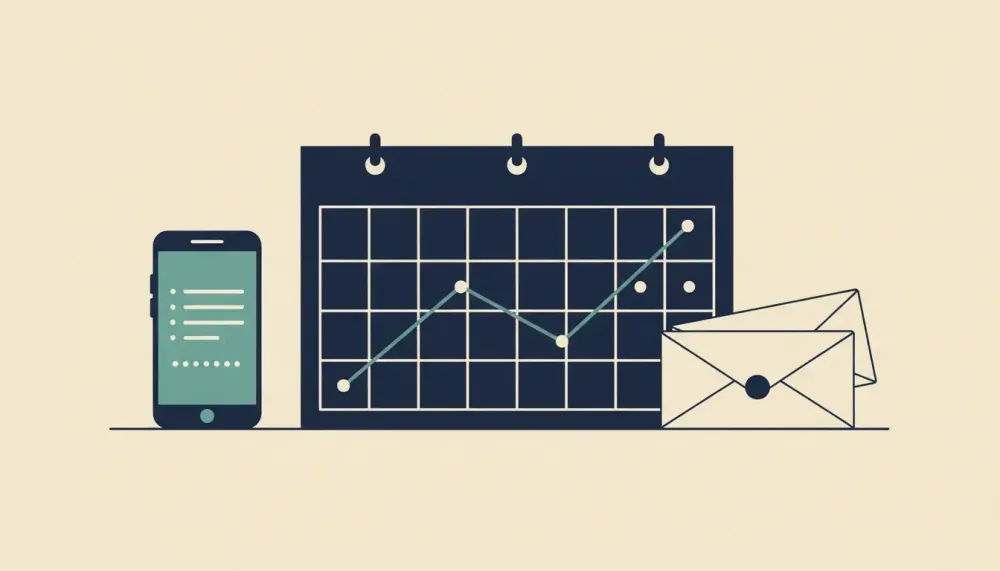
A calendar view beats monthly totals because bills and income don't line up by week. Maya's $950 rent leaves on Wednesday, and her $1,100 client payment lands next Monday. Over the month, the income covers the rent. In the five days between, that deposit doesn't help her at all, and that's where Thursday's repair lands. Monthly totals hide that gap. A calendar puts it on a specific square.
A quick worked example: $1,200 today, bills midweek, income next Monday
Say Maya's checking balance on Monday morning is $1,200. Here's her week:
- Wednesday: rent, $950
- Thursday: car repair, $300
- Friday: utilities, $180
- Next Monday: client payment, $1,100 (expected, but it might slip)
On paper, the week works. She has $1,200 plus $1,100 coming in, which is $2,300. Her bills total $1,430. A monthly view would show a comfortable surplus.
Now walk it day by day:
- Monday and Tuesday: $1,200. Nothing moves.
- Wednesday, after rent: $1,200 minus $950 leaves $250.
- Thursday, after the repair: $250 minus $300 leaves negative $50. This is the first dip.
- Friday, after utilities: negative $50 minus $180 leaves negative $230.
- Saturday and Sunday: still negative $230.
- Next Monday, after the client pays: negative $230 plus $1,100 brings her back to $870, if the payment arrives.
If the client pays Wednesday instead of Monday, Maya sits at negative $230 for five days, not three. That's the honest part of any projection. It's a plan, not a promise.
Seeing Thursday on Monday gives Maya options she won't have Thursday night:
- Move a bill. Ask the repair shop if she can pay on pickup next week, or call the utility about a later date.
- Use savings. Moving $230 from savings leaves Friday at exactly $0, with no cushion, and only if the transfer clears before Thursday's $300 repair posts. Moving more than $230 leaves a margin.
- Transfer from a business account. If she keeps one, a small transfer may be cleaner than a personal overdraft.
- Pause discretionary spending. It probably won't cover $230 alone, but it stops the hole from getting deeper.
None of these is clever. They just require knowing the number and the day.
How to choose an income and expense tracker for cash-flow planning
The criteria below are about one outcome: fewer overdrafts and late fees.
- Calendar view with a daily projected balance. Why it matters: you see the exact day the balance dips.
- Bank sync vs manual entry. Why it matters: sync pulls in past transactions so you're not typing every coffee. Manual entry can work if you have very few transactions a week. Sync saves time but can break or lag. Manual keeps you aware but depends on you showing up.
- Recurring schedules on true due dates. Why it matters: a monthly budget treats a bill as one line for the month. Real bills land on the 9th or the 23rd. Real income might be biweekly, semi-monthly, or whenever a client feels like it. You want each item on the day it actually hits.
- One-off items and transfers. Why it matters: the dip usually comes from something that doesn't repeat, like a car repair, an annual software renewal, or money moved between accounts. If you can't add those as single entries, the forecast misses the thing most likely to sink you.
- A week-by-week view next to the monthly one. Why it matters: a monthly budget can balance perfectly and still hide a Thursday shortfall. Maya's month is positive. Her Thursday is negative $50.
- Free vs paid limits spelled out. Why it matters: free tiers often cap accounts, rules, or forecasting. Check what "free" covers before you build your week inside it.
For irregular income, one test sorts tools fast. Can you put an expected deposit on a real date, then drag it later when a client slips? A client who says "Friday" and pays the following Wednesday is normal freelance life. If your income expense tracker can't handle that move in a few seconds, you'll stop updating it.
If you're asking which is the best app to track income and expenses, start with point one. Everything else is about how much effort it takes to keep that daily number honest.
The best app types for different needs
If you just want simple manual logging
This fits someone using cash envelopes, someone with a small side gig, or someone who likes writing things down because it makes spending feel real. A simple income and expense tracker is fast. You open it, type "$180 utilities," and close it.
- Pros: fast entry, plain screens, not much to learn.
- Cons: no projection. To find Thursday's balance, you do the math in your head. Maya could, but on a stressful Monday that's exactly the math people skip.
If you want automatic import and category charts
These apps pull in transactions from your bank, sort them into categories, and show monthly limits and spending charts. They're good at telling Maya that dining out ran over budget last month. In her case, a category chart would show the car repair after it posts. She'd see negative $50 on Thursday, after it already happened.
If you need a daily projected balance with upcoming bills and income
This is the type built for tight weeks. You see a calendar, each bill and deposit sits on its date, and a running balance shows what each day should look like.
For Maya, this changes the decision. On Monday the calendar shows Thursday at negative $50 and Friday at negative $230. She has two days to call the repair shop or move savings before Wednesday night. The tool doesn't fix the problem. It just makes the problem visible while she still has choices.
Shortlist: best income and expense tracker apps by the balance question
We're grouping by category, not ranking brands. We haven't tested every product, and lists that pretend otherwise tend to go stale fast. Sort by one question: can this tool show your projected balance on a specific day this week?
Full-budgeting platforms with bank sync and strong history
- What you get: automatic imports, categories, monthly budgets, and trend charts.
- What's mixed: some have bill reminders. Few compute a daily projected balance from your real current balance.
- Free vs paid: free tiers often limit linked accounts, or hold back rules, forecasting, or bill tracking for paid plans.
- Irregular income: you may be able to schedule income, but moving a late client payment can be tedious. On Monday, Maya would probably see her $1,430 in bills and her $1,100 deposit, not Thursday's negative $50.
Simple manual trackers with fast entry
- What you get: quick logging, totals, and sometimes a calendar of past transactions.
- What's missing: bank sync and a forward-looking balance by day.
- Free vs paid: many are free or a one-time purchase. A free income and expense tracker in this group costs nothing but your discipline, and it asks for plenty of that.
- Irregular income: workable if you do the projection math yourself. Maya would find Thursday's negative $50 only by adding up the rows.
Cash-flow planners with a forward-looking calendar
- What you get: a calendar of upcoming bills and deposits, plus a daily projected balance.
- Free vs paid: often paid, sometimes with a free trial. A trial is usually long enough to test the method on one real week.
- Irregular income: you place expected deposits on actual dates and move them when a client pays late. If Maya's $1,100 slips from Monday to Wednesday, she moves it and sees her stretch at negative $230 grow from three days to five.
How to pick: on Monday, only the third group would show Maya's Thursday at negative $50 directly. If your weeks are rarely tight, a basic income and expense tracker in the first two groups may be all you need. Choose the category that answers your question with the least effort, then compare products inside it.
Where Cash Flow Calendar fits for irregular income
Cash Flow Calendar sits in that third group. We built it for freelancers, contractors, hourly and tipped workers, small business owners, and households juggling a lot of due dates.
As our 2026 feature page says, the projection starts with your current real balance, adds expected deposits, subtracts scheduled payments on their dates, and shows a running projected balance for future dates (Cash Flow Calendar). That's the same math from Maya's example, done for every future day.
For bills, our 2026 bill-calendar page says that recurring bills repeat automatically and the projected balance appears next to each bill's due date, so you can spot a shortfall before it happens (Cash Flow Calendar). Recurring items can be weekly, biweekly, semi-monthly, monthly, or on a custom schedule.
Here's how Maya's week would look in it:
- She enters her Monday balance of $1,200, or pulls it in through an optional bank connection. Manual entry works fully without one.
- Rent and utilities go in as recurring bills on their real due dates.
- The car repair goes in as a one-off for Thursday.
- The $1,100 client payment goes in as expected income on next Monday.
The calendar view then shows Thursday at negative $50 and Friday at negative $230. That's the signal to act. She might move $230 from savings, or ask the shop to wait. If the client says payment is coming Wednesday instead, she moves the deposit and the calendar shows how much longer the dip lasts.
Like any income and expense tracker app, it's only as good as what you put in. It can't make a client pay on time. It can show you, on Monday, what a late payment would do to your week. It works on the web and on iOS and Android.
Try the method before you commit: a free template and then your app choice
You don't need any app to test whether this approach helps. Use this template on paper or in a spreadsheet.
Write one line per day for the next seven days, with four columns:
- Date
- Money in (expected deposits on the day you expect them)
- Money out (bills and one-offs on their due dates)
- Ending balance (yesterday's ending balance, plus money in, minus money out)
Start the first line with today's real balance. Highlight any day that ends below zero, or below the cushion you want to keep. Maya's Wednesday and Thursday lines would read:
- Wednesday: in $0, out $950, ending $250
- Thursday: in $0, out $300, ending negative $50
The weak spot is upkeep. Every late client, new bill, or surprise repair means redoing the rows. If the method helps and the upkeep starts to drag, an app keeps the projection current with less manual work.
Test the calendar-based projected balance with the template above this week, and find the day your balance would dip. When you're ready to automate it, start a free trial of Cash Flow Calendar and review plans at https://www.cashflowcalendar.app/pricing.

Written by
Philipp AlbrechtPhilipp Albrecht is the founder of Cash Flow Calendar. He spent years as a freelancer and built the app after missing a rent payment while waiting on client invoices — not because he didn't have the money, but because it hadn't landed yet. Everything on this blog comes from that problem: knowing what's coming in, what's going out, and on which day.
FAQs
Put expected deposits on the most likely dates and note any uncertainty. When a date shifts, move it immediately and recheck the lowest upcoming day to see if anything drops below zero. Keep a small buffer and a fallback option, like moving a bill or tapping savings, for a few days of delay.
Related Articles
YNAB Alternative for Irregular Income With Daily Balance
Oct 26, 2026

Best Mint Alternatives for Bill Tracking That Actually Work
Jun 23, 2026
Best Cashback and Rebate Apps to Save on Groceries
Apr 13, 2026
Best Robo Advisor for Beginners: Comparison and Fees
Mar 29, 2026
Pocketsmith vs Cash Flow Calendar: Which Budgeting Tool Fits You Best?
Oct 17, 2025

