
- 14 min read
Invoice sent on the 3rd, due on the 18th, paid on the 22nd, but the health insurance auto-debits on the 12th.
We're writing this for Maya. She's a freelance brand designer with a $900 monthly retainer, two project invoices out on net-15 or net-30 terms, and the occasional one-off gig. Rent hits on the 1st and health insurance on the 12th. Last night she typed "monarch money alternative" into Google because she keeps asking the same question: will her checking balance dip below zero next Tuesday, before a client pays?
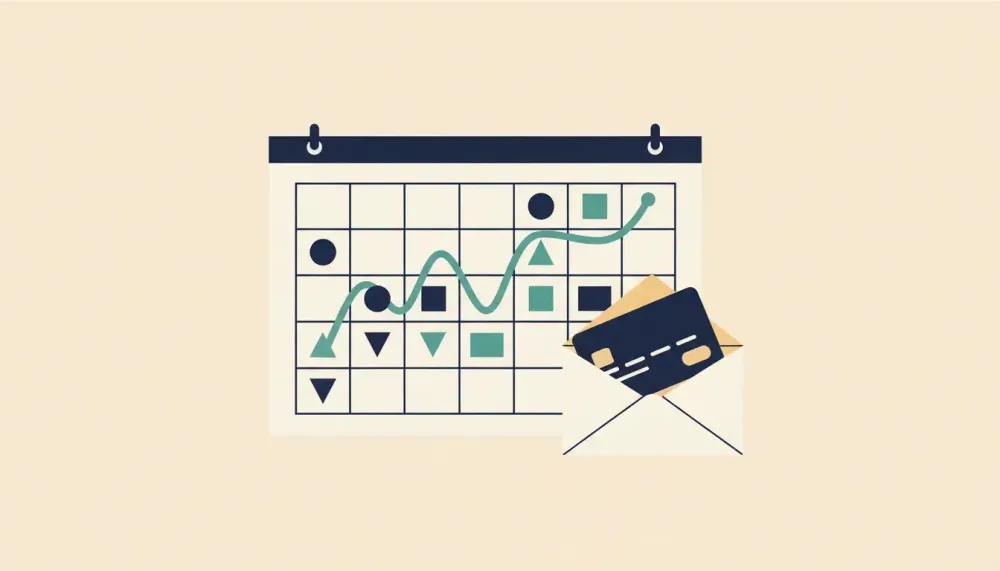
She doesn't need another monthly dashboard. She needs to see bills and deposits on the dates they really happen, plus a projected balance for each day.
We know that question well. We built Cash Flow Calendar after month-based budgets kept failing us, because our pay showed up in lumps and our bills didn't care. So we have opinions, and we'll say plainly where all-in-one dashboards fall short for income like Maya's. We'll also tell you when a different app is the better pick.
Start here: what irregular-income households need that all-in-one budgets miss
Most all-in-one budget apps are good at looking backward. They show where money went last month, how this month compares, and what your categories add up to. That's useful. But it doesn't answer Maya's question, which is about next Tuesday.
For freelancers, one payment goes through four stages. Here's how they play out for Maya's project:
- Earned: she finishes the logo work on April 2.
- Invoiced: she sends the bill on April 3.
- Scheduled: net-15 makes it due April 18.
- Deposited: the money usually lands around April 20, and in a slow month it doesn't arrive until April 22.
Only the last stage pays the health insurance. A tool that treats "invoiced" like "money in the bank" will tell her she's fine on the 12th when she isn't.
This is also why averages mislead. An average says Maya earns enough over a year. A calendar says whether she has enough on the 12th. When pay is lumpy, timing matters more than totals, and a weekly view catches problems that a monthly summary smooths over.
Maya isn't unusual. According to the Federal Reserve Board's 2025 report on household well-being, 29% of U.S. adults said their income varied at least occasionally from month to month in 2024, and 11% said they struggled to pay bills because their income varied (Federal Reserve Board).
So the real question for irregular income comes down to this: which bills land before your next deposit, and what will your balance be on those exact dates? If you're shopping for a lighter monarch alternative, start with that question and work backward to the tool.
Quick picks: choose the right tool for your freelance situation
You don't need a giant feature grid to short-list monarch money alternatives. You need to know what problem you're solving. Some freelancers want a full budget. Others, like Maya, mostly need to see low-cash days coming.
Here are the quick matches:
- You need a calendar view with a projected balance to spot low-cash days: a calendar-first tool.
- You already track categories elsewhere and just need timing visibility: a calendar-first tool alongside your current tracker.
- You want zero-based, envelope-style, hands-on budgeting: YNAB.
- You're Apple-first and want a beautiful interface for tracking and alerts: Copilot Money.
- You want lower-maintenance automatic tracking with some cash-flow tools: Quicken Simplifi.
- You mostly want to cancel subscriptions and manage bills: Rocket Money.
- You want "how much can I spend right now?" guardrails: PocketGuard.
- You want manual, envelope-style budgeting with more privacy: Goodbudget or Actual Budget.
- You mostly want net-worth and investment tracking: a dedicated net-worth tracker, not a budget app.
A reassuring national number can hide a date-level shortfall. The Federal Reserve's 2025 report found that 63% of U.S. adults said in 2024 that they could cover a hypothetical $400 emergency expense using cash or its equivalent (Federal Reserve). That's good news. But having $400 in reserve is a different thing from having enough on the specific Monday your quarterly taxes are due. A tool that shows those dates ahead of time still earns its keep.
If you're not sure which line is yours, the next section helps you decide.
How to compare options when pay is uneven: a short decision guide
Most app comparisons start with price and feature count. For irregular income, we'd start somewhere else: timing risk. Put date-based cash flow first, category budgets second, and extras last.
Ask yourself three questions, in this order:
- Do you need a calendar view with upcoming bills and income and a projected balance by date? If yes, put a calendar-first tool at the top of your list. For Maya, this is a clear yes.
- Do you want envelope-style budgeting to keep you disciplined between deposits? If yes, add an envelope app, or pick one that does this especially well.
- Do you also want investment dashboards, AI alerts, or Apple-only polish? Nice to have. Weigh those only after the first two are covered.
Why this order? Because a poor fit costs more than a subscription. Say Maya's balance is too low on the 12th and her insurance debit bounces. Her bank charges a $35 NSF fee, and her insurer adds a $15 late fee. That's $50 spent on a problem a calendar would have shown her two weeks earlier.
Those fees add up across the country, too. The Consumer Financial Protection Bureau reported in 2024 that since 2022, financial institutions have agreed to refund nearly $250 million in overdraft and NSF fees identified through its supervisory work, including roughly $184 million in unfair overdraft fees and $66 million in unfair NSF fees (Consumer Financial Protection Bureau). Those are refunds of fees the CFPB found unfair, not a count of all fees charged. Still, it's a reminder that low-balance days carry a real price.
We read the 11% figure from earlier, according to the Federal Reserve Board's 2025 report (Federal Reserve Board), as a timing problem as much as an income problem. Plenty of people earn enough over a year and still come up short on a Tuesday.
That's why forward-looking planning is its own requirement. Looking back at last month won't tell you about the 15th.
Worked example: three clients, uneven invoices, and bills before payday
Let's put Maya's April on paper. These are example numbers.
Today is Monday, April 1. Her checking balance is $1,050.
Income she expects:
- Client A retainer: $900, invoiced on the 1st, usually deposited on the 3rd.
- Client B project: $2,100, invoiced April 3 on net-15, usually deposited around April 20.
- Client C one-off: a $1,200 check expected around April 27.
Bills and spending:
- Rent: $1,600, due April 1, paid today.
- Health insurance: $420 auto-debit, April 12.
- Quarterly estimated taxes: $1,200, due April 15.
- Car payment: $300, due April 20.
- Groceries and gas: about $350 a week, which we'll count on Fridays (April 5, 12, 19 and 26).
Add it all up and April looks okay. She starts with $1,050, brings in $4,200 and spends $4,920. She ends the month with $330. A monthly budget would call that a pass.
Now look at the same month by date:
- Mon, April 1: $1,050 minus $1,600 rent = negative $550
- Wed, April 3: negative $550 plus $900 retainer = $350
- Fri, April 5: $350 minus $350 groceries = $0
- Fri, April 12: $0 minus $420 insurance minus $350 groceries = negative $770
- Mon, April 15: negative $770 minus $1,200 taxes = negative $1,970
- Fri, April 19: negative $1,970 minus $350 groceries = negative $2,320
- Sat, April 20: negative $2,320 plus $2,100 from Client B minus $300 car payment = negative $520
- Fri, April 26: negative $520 minus $350 groceries = negative $870
- Sat, April 27: negative $870 plus $1,200 from Client C = $330
Without changes, the projection goes below zero on day one, the moment rent leaves. Most people wouldn't let that happen. Say Maya moves $600 from savings that morning, so rent clears and she sits at $50.
That buys her less time than it seems. Here's the patched version:
- April 1: $50
- April 3: $950
- April 5: $600
- April 12: negative $170
- April 15: negative $1,370
- April 19: negative $1,720
- April 20: $80
- April 26: negative $270
- April 27: $930
Even with the savings move, the first date she drops below $0 is Friday, April 12, when insurance and groceries hit on the same day. The deepest point is April 19, at negative $1,720. And that assumes Client B pays on time.
If Client B's payment slips two days to Monday, April 22, the same late date from the opening, the car payment on the 20th pushes her to negative $2,020 before the deposit brings her back to $80. Two late days, two more days in the red.
According to the Federal Reserve Board's 2025 report, alongside its 29% figure on income that varies at least occasionally, mismatches between when income arrives and when expenses are due can create financial problems (Federal Reserve Board). Maya's April is a small, specific version of that.
Here's what she could change, using the same example numbers:
- Pay taxes from tax savings. If she's been setting aside tax money in a separate account, she should schedule a $1,200 transfer into checking on April 15. The tax bill still leaves, but it no longer drains her spending money.
- Ask Client B for an early partial payment on the invoice. Half, $1,050, by April 10, with the rest on the 20th. She can ask, and the client can decline.
- Move discretionary spending. If the partial falls through, the calendar tells her exactly how short she'll be. With the tax transfer alone, she first dips to negative $170 on April 12, and her lowest point is negative $520 on April 19. Cutting the April 5 and April 12 grocery weeks to $200 each saves $300. She stays at $130 on the 12th and bottoms at negative $220 on the 19th, which leaves $220 to cover from savings.
With the tax transfer and the partial payment, her month looks like this: $50 on April 1, $950 on the 3rd, $600 on the 5th, $1,650 on the 10th, $880 on the 12th, $880 on the 15th, $530 on the 19th, $1,280 on the 20th, $930 on the 26th, and $2,130 on the 27th. She never goes below zero.
One lever we wouldn't pull is paying the taxes late. Our advice runs the other way too: don't pay early "to get it over with" when that early payment would empty your account.
The calendar-first Monarch Money alternative for date-based cash flow
A calendar-first app flips the usual order. Instead of starting from last month's spending, it starts from the next several weeks of dates. That's the category we built Cash Flow Calendar for.
It shows upcoming bills and income on a calendar view and projects your running account balance for every future day. So it does the math we just did by hand, for every date ahead. Once Maya enters her April bills and expected deposits, the projected balance shows whether April 12 or April 15 goes negative, and by how much.
Here's what it does, using her April as the example:
- Recurring schedules that match freelance life. Weekly, biweekly, semi-monthly, monthly or custom. Her retainer, rent, insurance and car payment can each repeat on their real schedules.
- One-off entries for irregular items. Client B's $2,100 and Client C's $1,200 check go in on their expected dates, and she can move them if a client pays early or late.
- Transfers between accounts. The $600 from savings on April 1 and the $1,200 tax transfer on April 15 can sit on the calendar too, so the projection includes them.
- Optional bank connection, or none at all. You can connect through Plaid in the United States and Canada to pull in real transactions and balances. Or you can run it fully by hand if you'd rather keep your bank login to yourself.
- Multiple calendars per account. Maya could keep personal and business money apart. There are also budgets by category and reports.
- Web, iOS and Android. You can check the 12th from your phone while waiting on a client call.
It can be your only money app, or it can sit next to the budget app you already like. It has a free trial, then a paid subscription, and current details are on the Cash Flow Calendar pricing page.
Here's what it won't do. It won't make Client B pay faster, and it won't pick a fix for you. The projection is only as good as the dates you enter. What it does is show the problem early enough that Maya can send that partial-payment email on April 3 instead of April 12.
Other strong alternatives and when to choose them instead
A calendar-first tool isn't the right main app for everyone. If one of these sounds more like you, start there:
- YNAB: Best if you want zero-based, envelope-style control and you'll actively assign every dollar. If deposit timing is still your main stress, pair it with a calendar-first tool.
- Copilot Money: Best if you live in Apple's world and want polished tracking, clean insights and automatic categories. Add a calendar-first tool if you need a projected balance for each day.
- Quicken Simplifi: Best if you want an automatic tracker with some cash-flow planning and less upkeep than hands-on budgeting.
- Rocket Money: Best for canceling subscriptions and keeping an eye on bills. Use another tool for day-by-day projections.
- PocketGuard: Best for quick "how much can I spend right now" guidance tied to your upcoming bills.
- Goodbudget or Actual Budget: Best for manual, envelope-style structure if you want full control and prefer entering things yourself.
- A dedicated net-worth tracker: Best for following investments and net worth. It won't replace detailed bill timing.
The line to draw is between being ready for an emergency and being ready for a date. The Federal Reserve's 2025 report says 63% of adults could cover a hypothetical $400 emergency with cash or its equivalent in 2024 (Federal Reserve). In our example, Maya could have $400 tucked away and still be $1,720 short on April 19. Different problems need different tools.
What to watch when switching: sync, schedules, and five-week months
Most setup mistakes we've made building and using our own calendars were timing mistakes, not math mistakes. Here's a checklist with examples from Maya's calendar:
- Bank sync reality check. Bank feeds can lag. Enter the bills that matter most, like rent and the $420 insurance debit, as scheduled items. That way they show up in your projected balance even if a feed runs late.
- Recurring schedules. Biweekly is not the same as semi-monthly. Biweekly usually gives you 26 payments a year, and some years have 27, while semi-monthly gives you 24. Maya counts groceries on Fridays, so she should watch months with five of them. May 2024 had Fridays on the 3rd, 10th, 17th, 24th and 31st, which means five $350 grocery weeks, $1,750 versus April's $1,400, and one more paycheck if you're paid weekly on Fridays.
- Invoice timing. Enter the date you expect the money to arrive, not the date you sent the invoice. Client B was invoiced on April 3, but the entry belongs on April 20. When a client pays early or late, move the entry so the projection stays honest.
- Retainer versus project work. Keep Client A's $900 retainer as its own recurring entry, separate from project payments. Then if a project slips a month, you can see the gap without guessing.
- Quarterly taxes and yearly renewals. Put them in now, months ahead. Say Maya has a $600 design software renewal in September. Entered today, it shows up in her September projection before it surprises her. The same goes for her June tax payment.
According to the Federal Reserve Board's 2025 report, 29% of adults said their income varied at least occasionally from month to month in 2024 (Federal Reserve Board). When income moves around, an entry on the wrong date can be worse than no entry, because it tells you you're safe when you aren't.
Try two tools together without doubling your workload
Using two money apps sounds like twice the chores. It doesn't have to be, as long as each app has one job.
Here's how we'd split it:
- Your budget app keeps the history. Categories, spending trends, what you spent on coffee in March. Keep using whatever already works.
- The calendar-first planner keeps the future. Upcoming bills and income, plus a projected balance for each day.
- A short weekly check-in keeps them in sync. Say 10 minutes on Monday morning. Update expected deposit dates when invoices go out or get paid, and look at the lowest point in the next two weeks.
The split makes sense because looking back and looking ahead are different jobs. According to the Federal Reserve Board's 2025 report, 11% of adults in 2024 had trouble paying bills because their income varied (Federal Reserve Board). Last month's category totals won't warn you about that. A dated plan can.
For Maya, the comparison is simple. A missed insurance debit costs her fees and stress. A forward view costs a few minutes a week.
Here's her next step, and yours if your pay works like hers. Enter the next six weeks of upcoming bills and expected deposits in a calendar-first planner. Then compare the projected balance to your real bank balance before any big bill leaves your account.
If you want to do that in Cash Flow Calendar, start the free trial from the pricing and signup page and check your April plan against your live balance before the 12th.

Written by
Philipp AlbrechtPhilipp Albrecht is the founder of Cash Flow Calendar. He spent years as a freelancer and built the app after missing a rent payment while waiting on client invoices — not because he didn't have the money, but because it hadn't landed yet. Everything on this blog comes from that problem: knowing what's coming in, what's going out, and on which day.
FAQs
Start a simple date plan for the next four to six weeks listing each bill and expected deposit on the exact day. Add a running balance line that starts from today’s bank balance, then watch the lowest point. If a day goes negative, cover it in advance by trimming variable spending that week, shifting a transfer from savings, or asking the client for a split payout.
Related Articles

Best Income and Expense Tracker Apps That Show Daily Balance
Oct 27, 2026
YNAB Alternative for Irregular Income With Daily Balance
Oct 26, 2026

Best Mint Alternatives for Bill Tracking That Actually Work
Jun 23, 2026
Best Cashback and Rebate Apps to Save on Groceries
Apr 13, 2026
Best Robo Advisor for Beginners: Comparison and Fees
Mar 29, 2026
Pocketsmith vs Cash Flow Calendar: Which Budgeting Tool Fits You Best?
Oct 17, 2025

