
- 12 min read
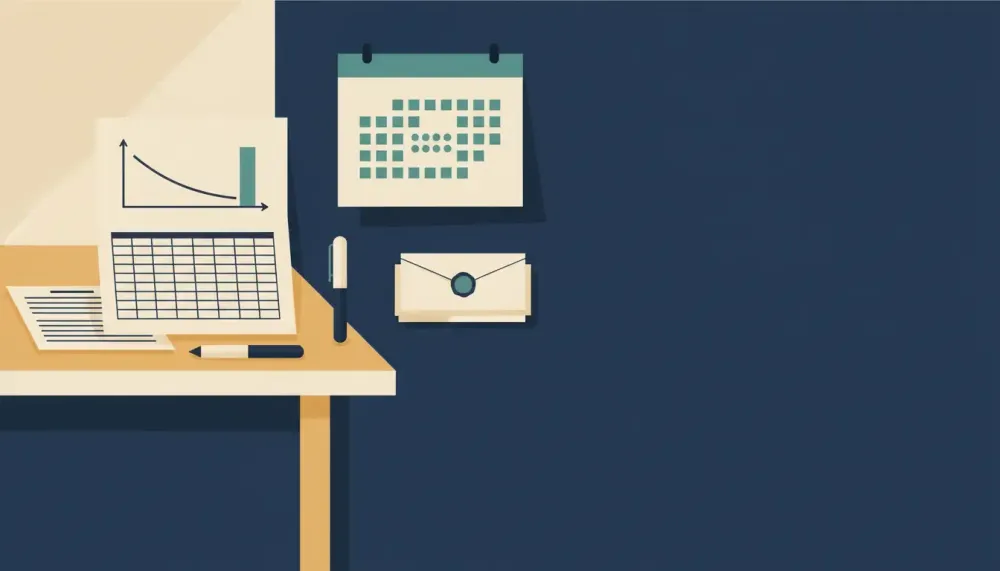
Dana runs the floor as a retail assistant manager. Payday hits every other Friday, and some weeks a $200 gig payment drops in whenever the client gets around to it. On paper the month is fine. But in the stretch after rent, when the auto-pay bills land before her next check, her checking balance slips below zero. Here's how to make a simple budget spreadsheet that shows the exact day cash runs short, and what to change before it happens.
We're a small team that got burned by month-based budgets when our own income came in lumps. Our view is simple. Monthly category totals are not enough when timing is the problem. You also don't need to buy anything. Here's how to make a simple budget spreadsheet free: a blank sheet and about 10 minutes is all it takes.
The goal: a tiny sheet that shows if cash runs short before payday
A budget answers "can I afford this month?" Cash flow answers "can I afford this Tuesday?" Dana's problem is the second one. Her $1,200 rent leaves on the 3rd. Then her car insurance and credit card auto-pays hit on the 10th and 12th, a few days before her Friday check on the 15th.
She's not alone. The Consumer Financial Protection Bureau reported in 2024 that more households were having difficulty paying bills or expenses, and fewer could cover a month of expenses if they lost their main income. In a 2019 budgeting guide, the Consumer Financial Protection Bureau named the timing mismatch between bills and income as one reason people come up short. It recommended recording bill due dates alongside income and spending.
So the goal is small. You want one dated list of money in and money out, with a running balance next to each row. Scan down the balance column and you'll see the day your balance would go negative.
Step-by-step: how to make a simple budget spreadsheet in Excel or Google Sheets
Here's how to make a budget spreadsheet in Excel or Google Sheets without turning it into a maze. Everything below works the same in both.
Build the Transactions tab in 10 minutes
Open a blank sheet and name the tab Transactions. In row 1, type these headers. Each header is just the single word, such as "Type" or "Paycheck". The notes after the word tell you what goes in the column and aren't part of the header.
- A: Date
- B: Description
- C: Category
- D: Type. Enter Income or Expense.
- E: Amount
- F: Paycheck. Optional. Enter the payday date of the check that covers this row.
- G: Balance
- H: Cleared
- I: Notes
Format column A as YYYY-MM-DD dates. Format columns E and G as currency. Then freeze row 1 from the View menu in either app, so the headers stay put while you scroll.
One rule matters most: one row per transaction. Two grocery runs get two rows. Enter every amount as a positive number and let the Type column decide whether it adds or subtracts.
Add a running balance you can scan in seconds
Row 2 is your starting point. Put the date in A2, type "Starting balance" in B2, and put your real bank balance in G2. Leave Type blank.
In G3, the formula takes the balance above. If the row is Income, it adds the Amount. If the row is Expense, it subtracts it. In both apps that looks like this:
`=G2+IF(D3="Income",E3,-E3)`
Fill it down the column. This formula follows the same logic as Microsoft's 2025 running-balance guidance: previous balance, plus deposits, minus withdrawals, with one row per entry. Microsoft's version uses separate deposit and withdrawal columns. Ours uses one Amount column plus Type.
Sort by date before you trust it. A running balance on out-of-order rows is a very confident lie.
Optional Categories tab and dropdowns
Add a second tab called Categories with a short list, such as Rent, Utilities, Insurance, Debt, Groceries, Gas, Income and Other. Fewer is better. You can always split a category later.
Select column D and open Data, then Data validation. In Excel, choose List and type Income,Expense. In Google Sheets, add a rule, choose dropdown, and enter the two options. Do the same for column C and point it at your Categories list. Dropdowns stop typos like "Groceires" from hiding your spending.
A quick monthly rollup (for context, not control)
Microsoft defines SUMIF in its 2026 reference as a function that adds values meeting a condition you set. SUMIFS does the same with several conditions, which lets you limit totals to one month. Put these on a separate Summary tab:
- Income in November 2024: `=SUMIFS(Transactions!E:E,Transactions!D:D,"Income",Transactions!A:A,">="&DATE(2024,11,1),Transactions!A:A,"<"&DATE(2024,12,1))`
- Expenses in November 2024: `=SUMIFS(Transactions!E:E,Transactions!D:D,"Expense",Transactions!A:A,">="&DATE(2024,11,1),Transactions!A:A,"<"&DATE(2024,12,1))`
Change the two DATE values to roll up a different month. Use the rollup to look back. Use the dated list to look ahead.
What monthly totals miss and how to add timing to your plan
This is a simpler example than Dana's, with different numbers. Her month has the same shape, as the next section shows.
Say a month brings in $3,000 as two $1,500 checks on the 12th and the 26th. Bills and spending total $2,800. That's a $200 surplus, and a monthly budget gives it a gold star.
Now add dates. You start the 1st with $1,700 already sitting in checking. Rent of $1,400 leaves that day, so you're at $300. A $350 car payment auto-drafts on the 10th, and now you're at -$50. The first check doesn't land until the 12th. The other $1,050 of spending comes after money arrives.
It's the same month with the same totals, and it still spends two days in the red. The Consumer Financial Protection Bureau recommended a bill calendar in 2019 for exactly this, to flag the weeks that need careful spending. In a spreadsheet, adding timing just means every row gets a date and the list stays sorted.
Worked example: biweekly pay, mid-month bills, and a surprise negative balance
Here's Dana's November 1 through 23, 2024, entered the way we described. The 1st and the 15th are Fridays, which are her paydays. Her next check lands on the 29th, after this list ends.
- 2024-11-01, Starting balance, balance $450
- 2024-11-01, Paycheck, +$1,250, balance $1,700
- 2024-11-02, Groceries, -$120, balance $1,580
- 2024-11-03, Rent, -$1,200, balance $380
- 2024-11-06, Gas, -$50, balance $330
- 2024-11-09, Groceries, -$120, balance $210
- 2024-11-10, Car insurance, -$180, balance $30
- 2024-11-12, Credit card auto-pay, -$120, balance -$90
- 2024-11-15, Paycheck, +$1,240, balance $1,150
- 2024-11-16, Groceries, -$120, balance $1,030
- 2024-11-18, Utilities, -$160, balance $870
- 2024-11-20, Gig payment, +$200, balance $1,070
- 2024-11-20, Gas, -$50, balance $1,020
- 2024-11-23, Groceries, -$120, balance $900
Read down the Balance column. The 10th is the warning. Car insurance leaves Dana with $30, which is one parking meter away from trouble. The 12th is the problem. The card auto-pay takes her to -$90, and she stays negative for three days until the 15th.
Her November isn't unaffordable. By the 23rd she's at $900. She just has one bad stretch between the 9th and the 15th. Tracking due dates helps spot weeks that need closer attention, as the Consumer Financial Protection Bureau noted in 2019, and a running balance does the same check and puts a number on it.
Fixes that work in the real world when a week goes negative
Each fix changes one or two rows. Dana edits them in the sheet, the balance updates, and she can test a fix before she calls anyone. Before any fix, her balance on 11-12 is -$90.
Move or split the car insurance. Some insurers let you change a due date or pay in installments. We can't promise hers will, but it's a short call to find out.
- Moved to 11-18: the balance on 11-10 stays at $210, and the balance on 11-12 is $90.
- Split into $90 on 11-10 and $90 on 11-25: the balance on 11-10 is $120, and the balance on 11-12 is $0. Zero isn't negative, but it isn't a cushion either.
Trim the two grocery runs before payday. Dana could shop the pantry and cut the 11-02 and 11-09 trips to $60 each. That saves $120, so the balance on 11-12 becomes $30. It's positive, barely. Combined with moving the insurance, the balance on 11-12 is $210.
Bring the gig forward, or hold it. Say Dana invoices early and the client pays on 11-08. Her balance is then $530 on 11-08, $230 on 11-10 and $110 on 11-12. That's the strongest single fix and the one least in her control. Don't enter the early date until the client confirms it. The other option is holding. When the 11-20 gig clears, Dana leaves it alone, and that $200 sits under next month's rent week.
The Consumer Financial Protection Bureau recommended in 2019 bringing income sources, spending and due dates together in one working budget. Having all three in one sheet is what lets Dana adjust any of them.
Export to CSV, then see upcoming bills and income on a calendar to spot the exact weak days
A list is good for checking rows. A calendar is good for seeing a whole week at once. We built Cash Flow Calendar for that second view, and a clean CSV gives you a tidy record of every date and amount to work from.
Before you export, check these. They're general CSV habits that keep the file readable in any program:
- No merged cells
- One plain header per column, such as Date, Description, Amount, Category and Type
- One transaction per row
- Dates in YYYY-MM-DD format
Then export:
- In Excel, go to File > Save As or Export, and choose CSV (Comma delimited).
- In Google Sheets, go to File > Download > Comma Separated Values.
Google confirms in its 2026 Sheets help that CSV is one of the download formats. A CSV holds one tab, so export Transactions, not Summary. If you began in Excel and moved to Sheets, Google notes in 2026 that files can be exchanged between the two.
In Cash Flow Calendar, work from that CSV as your checklist. Enter regular items as recurring entries on their real schedules, such as biweekly pay and monthly rent, and enter irregular things like gigs as one-off entries. Your upcoming bills and income then appear in a calendar view. The app projects your balance for every future day, so a dip like Dana's on the 12th shows up as a date, not a surprise. A bank connection is optional. Manual entry works fully without one.
Excel vs Google Sheets: what works the same, and what to set differently
If you looked up how to make a budget spreadsheet in Excel, everything above carries over to Sheets, including the running balance. Microsoft noted in 2025 that the balance is kept going by extending the formula into new rows, and that works in either app.
A few things differ:
- Dates. Both apps default to your region's date style. In a US default, Dana's card auto-pay day shows as 11/12/2024. In Excel, use Format Cells, then Custom, and type yyyy-mm-dd. In Sheets, use Format, then Number, then Custom date and time. Either way, the same cell then reads 2024-11-12.
- Export menus. Excel says Save As or Export. Sheets says Download.
- Sharing. Google lists real-time collaboration as a Sheets feature in 2026. If Dana and a partner both log purchases, that's a good reason to use Sheets, and they can still start from a monthly budget template. Google Sheets, free with a Google account, has its own gallery.
If you prefer a template: a free monthly budget in Google Sheets or Excel, and when to switch
Templates are a fine place to start. Google's 2026 Sheets guidance explains how to open the Template Gallery and pick an existing spreadsheet. Excel offers its own templates when you create a new workbook. A simple budget template from Excel, or a free budget planner template for Google Sheets, will hand you categories and monthly totals in a minute.
We haven't checked every template out there. But a monthly budget planner template for Google Sheets that is built around categories can't show a dip on the 12th. So add a Transactions tab with Date and Amount at minimum, then Type and the running balance. Cut the template's categories down so weekly updates stay quick.
People often ask what the best budget template for Google Sheets is. Our answer is whichever one you'll actually open on Sunday, plus the dated tab you add yourself. If the template has more tabs than you have bills, start from scratch.
Want a printable PDF? What it is good for, and what it cannot do
Google documents in 2026 that Sheets files can be downloaded as PDF or as CSV. Here's how to make a simple budget spreadsheet PDF that prints cleanly: print the Summary tab. For Dana, a one-page rollup through the 23rd shows $2,690 in and $2,240 out, which is fine for the fridge.
A PDF is frozen, though. It can't recalculate when the insurance moves to the 18th, and it can't project a daily balance. Keep the detailed log in the sheet, where the dates stay clean for CSV export.
Keep it working in 15 minutes a week
Microsoft's 2025 guidance is to add each deposit or withdrawal as its own row and extend the formula. That habit is the core of the routine:
- Add the bills and expected deposits for the next two weeks.
- Match last week's spending to your bank and mark it Cleared.
- Skim the Balance column for any future negative day.
Dana does this on Sunday. On November 3, her next two Fridays are the 8th (no check) and the 15th (her check). Seeing both, she spots the -$90 on the 12th nine days early, which is plenty of time to call the insurer.
At month end, copy the tab and roll the recurring items forward. Update the pay dates, because biweekly pay drifts. After 11-29, Dana's checks land on 12-13 and 12-27. The 11-29 check lands before the 12-03 rent, just as the 11-01 check did in November. The repeat problem is the card auto-pay on 12-12, one day before the 12-13 check. That's where holding the gig pays off. The $200 she left alone on 11-20 is more than the $120 card payment, so it covers that one-day gap.
When your income is irregular, anchor to paychecks instead of months
The Consumer Financial Protection Bureau advised in 2019 starting with a full picture of where money comes from, then recording bills and their due dates, and for lumpy pay we go one step further by assigning each bill to the paycheck that will really cover it.
Use the Paycheck column for this. On every expense row the 11-01 check covers, type 2024-11-01 in column F. For Dana, that's rent, two grocery runs, gas, insurance and the card. Then add this to your Summary tab:
`=SUMIF(Transactions!F:F,DATE(2024,11,1),Transactions!E:E)`
It totals everything tagged to that check, which comes to $1,790. Her check plus the $450 already in checking is $1,700. The $90 difference is the same gap the running balance shows on the 12th.
For gigs worth $150 to $300, enter the expected date only when you know it. If a client says "next week," put it at the end of next week, then try an even later date and see if the plan still holds. If the plan only works with the gig, the plan doesn't work yet.
Try your plan on a calendar and adjust before the week begins
The Consumer Financial Protection Bureau said in 2019 that its Bill Calendar is meant to help people remember due dates and find the weeks that need careful spending. A calendar with a projected balance on every day does that job with the math done. Your CSV already has every date and amount you need.
Export your sheet to CSV, enter its bills and paychecks in Cash Flow Calendar as recurring and one-off entries, and check which days go weak before payday. For Dana, that's 11-12, the day the card auto-pay would take her to -$90. Tweak the dates and amounts until no day goes red, then keep it updated once a week.

Written by
Philipp AlbrechtPhilipp Albrecht is the founder of Cash Flow Calendar. He spent years as a freelancer and built the app after missing a rent payment while waiting on client invoices — not because he didn't have the money, but because it hadn't landed yet. Everything on this blog comes from that problem: knowing what's coming in, what's going out, and on which day.
FAQs
Enter the exact upcoming deposit dates for the next two to three months, not just a pattern. Copy your usual bills forward, then check the days between each deposit for shortfalls. Add a helper column that tags each bill to the paycheck that will fund it, and sum by that tag to confirm coverage before the week begins.
Related Articles
Freelance Tax Forms Explained and a Reusable Tax Calendar
Nov 4, 2026
Paycheck Calendar To Map Paydays, Bills, And Balance
Nov 1, 2026
Real Estate Agent Budget That Covers Bills Before Closings
Oct 28, 2026
What Is Irregular Income and How to Plan by Date This Month
Oct 26, 2026
How to Budget With Irregular Income and Avoid Cash Dips
Oct 25, 2026

Money Saving Budget Calendar That Boosts Savings Fast
Jun 30, 2026
How to Avoid Late Fees on Credit Cards Every Month
Jun 25, 2026
Credit Card Payment Calendar to Never Miss Due Dates
Jun 25, 2026

How to Schedule Automatic Payments Safely: A 30-Day Plan
Jun 22, 2026
Changing Bill Due Dates to Match Paydays in 6 Weeks
Jun 22, 2026
Biweekly Paycheck Budget Calendar: Handle 3-Paycheck Months
Jun 21, 2026
How to use Recurring Transactions in a Calendar Budget
Oct 7, 2025

