Help centerGetting started
Add your paychecks and bills
Add each paycheck and bill once with the Recurring switch on, and the calendar fills in every future date for you.
WebiPhoneAndroid
Enter a paycheck or a bill once and tell the calendar how often it repeats. It adds every future date, so your balance forecast covers the weeks ahead.
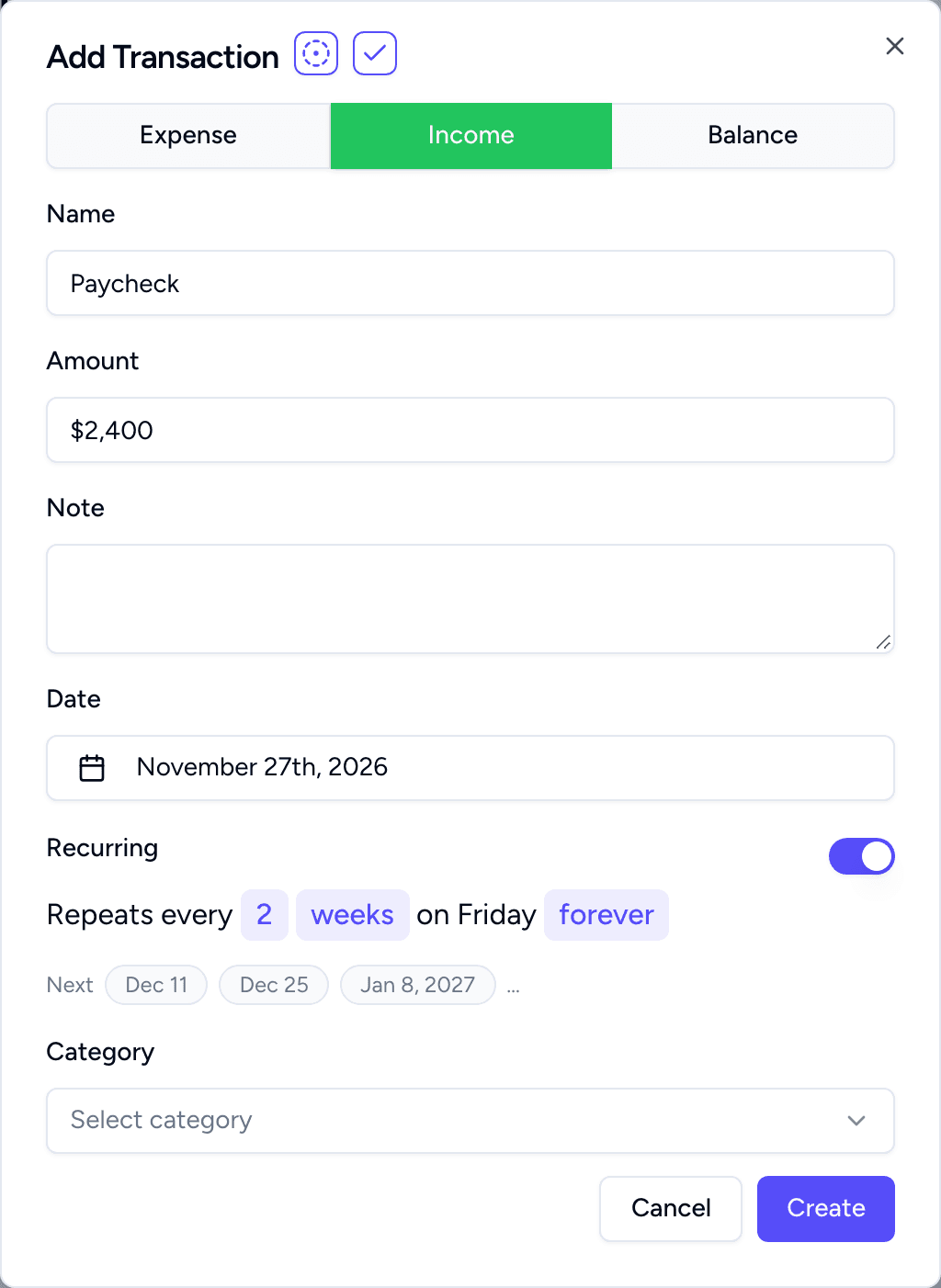
Add a paycheck
- Click Add Event at the top of the calendar. The window is titled Add Transaction.
- Choose Income at the top of the window.
- Type a Name, such as "Paycheck", and enter the Amount.
- Set Date to your next pay date.
- Turn on Recurring. A line appears that reads "Repeats every 1 week" and ends after 4 times.
- Set the number and unit to match your pay. For pay every two weeks, use 2 and weeks. For monthly pay, use 1 and months.
- Change the ending from "for 4 times" to "forever", then click Create.
Add a bill
Follow the same steps, but choose Expense in step 2 and set Date to the next due date. For a monthly bill, set the schedule to every 1 month.
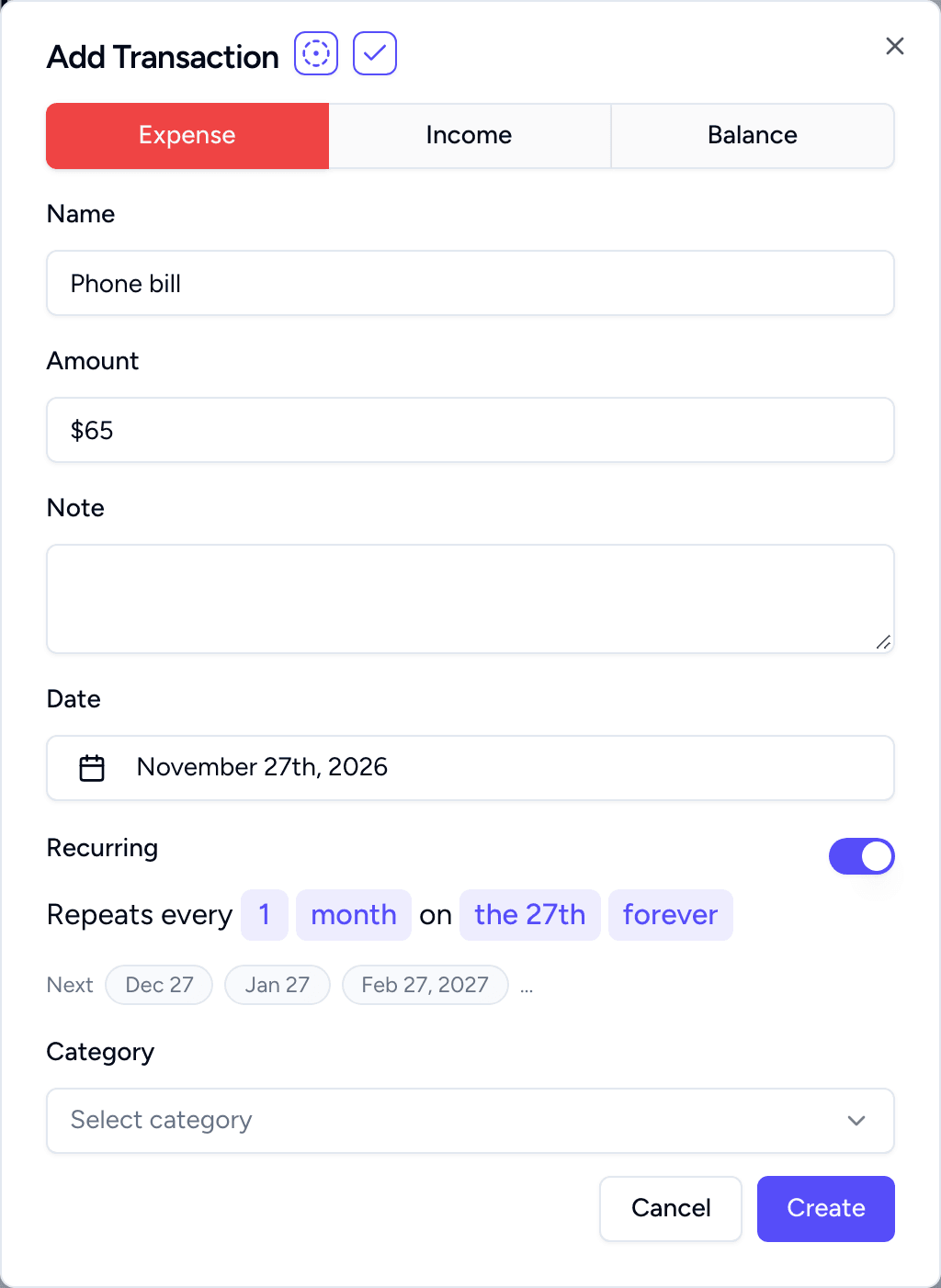
Repeat for each bill. Rent, a phone plan and a loan payment are all good candidates.
Good to know
- On mobile, tap where these steps say click. The app has the same Recurring switch and Create button.
- The dialog also has a Category field. Pick one if you want the amount to count toward a budget.
- A new series stops after 4 times unless you change the ending. You can also end it on a date. See "Set up recurring transactions, including last day of month and end rules" for every option.
- To change or stop one later, see "Edit or delete one occurrence vs the whole series".
- Items you add are forecasts. If you connect a bank, its transactions can be matched to them.

