Help centerCalendar
Edit or delete one occurrence vs the whole series
When you change a repeating transaction, you choose whether it applies to one date, to that date and every one after it, or to the whole series.
A recurring transaction is one rule that repeats, like rent or a paycheck. When you change one of its dates, you choose how far the change reaches.
Change only one date
Use this when one month is different, like a higher electric bill.
- Click the transaction on the calendar.
- Change what you need, then click Update.
- Choose Only this event, then click Update.
Every other date keeps its old amount.
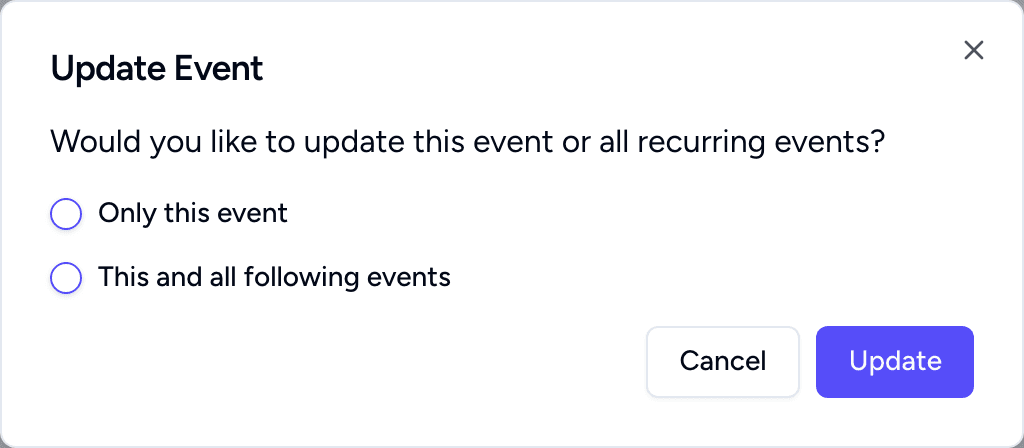
Change this date and every one after it
Use this when something changes for good, like a price increase.
- Click the first transaction that should change.
- Change what you need, then click Update.
- Choose This and all following events, then click Update.
Earlier dates stay as they were.
If you change how often it repeats, only This and all following events is offered.
Change or stop the whole series
- Open the Recurring tab at the top of the calendar.
- Click the series. The window is titled Edit recurring series.
- Make your change and click Update. It applies from today forward.
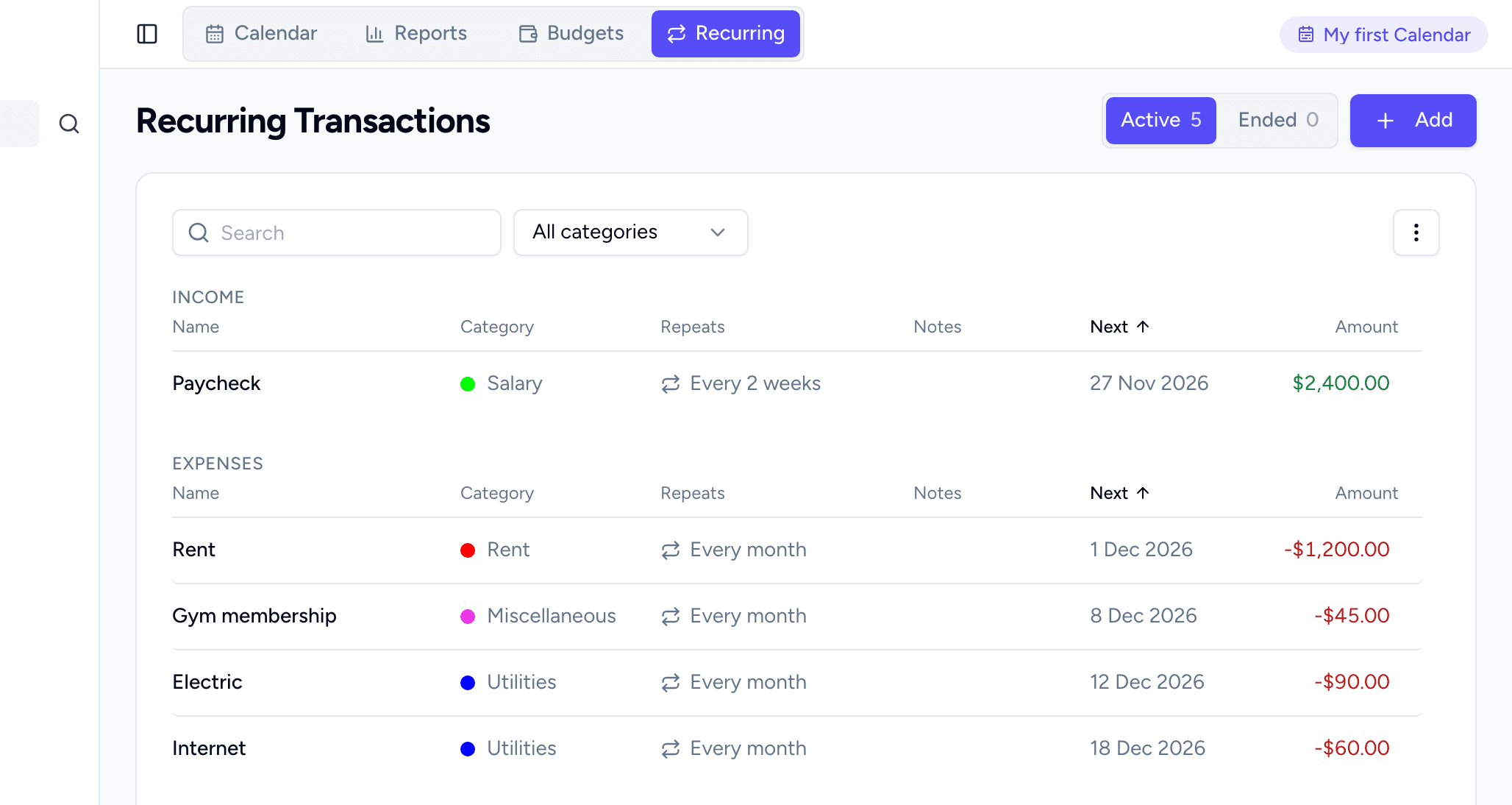
To stop a series, open it the same way, click More, then Delete future occurrences, and confirm.
On mobile: tap Stop repeating at the bottom of the series, then Stop repeating again to confirm.

Good to know
- Changing or stopping the whole series never touches past dates. Your balance history stays the same.
- A stopped series moves to Ended on the Recurring tab.
- Deleting a single date asks the same question as editing one.
- On mobile, tap where these steps say click.

