Help centerGetting started
Read the calendar: daily balance, month-end projection, today
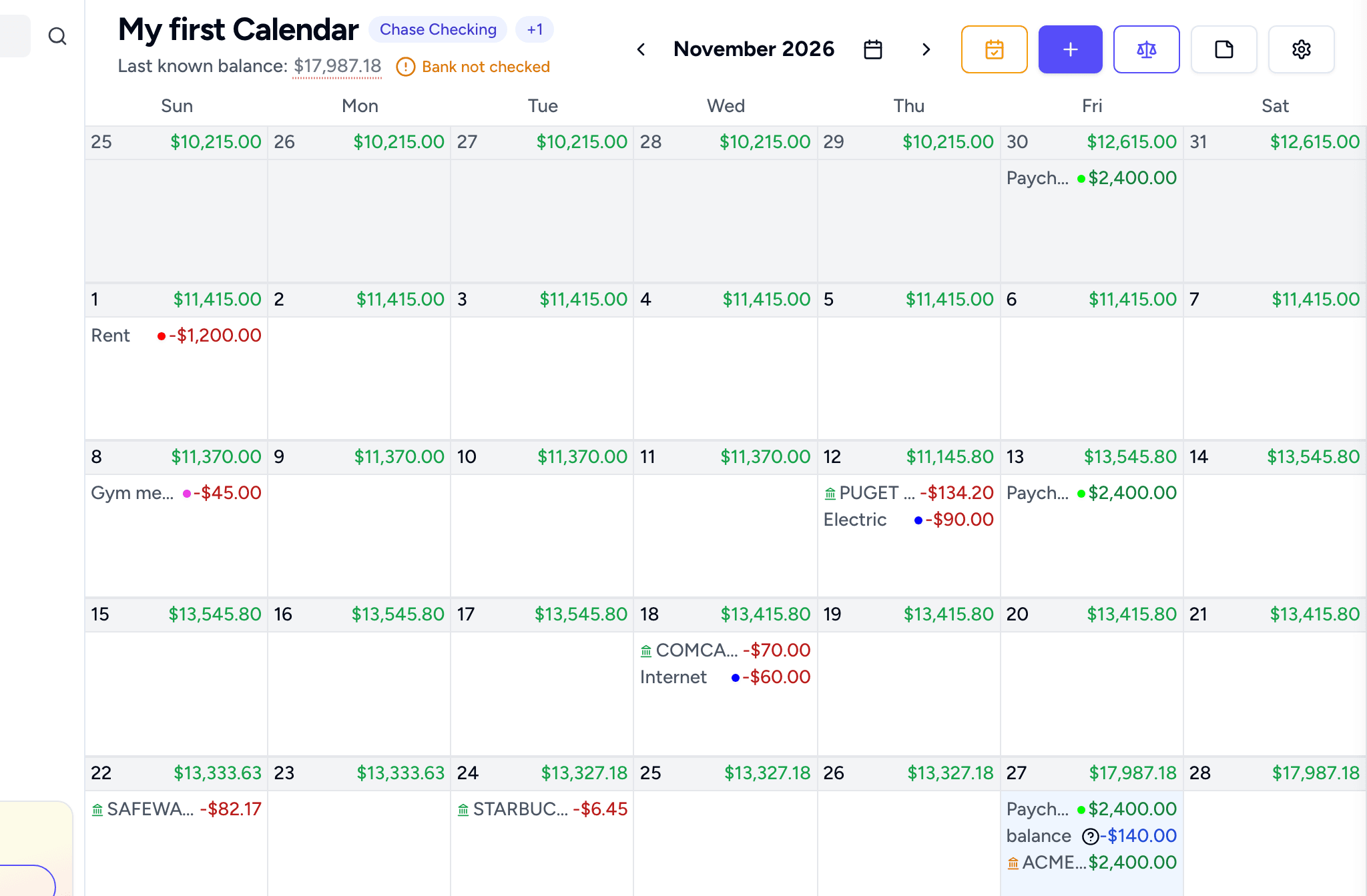
Each day shows the balance you will have when that day ends, in green, amber or red, and the last day of the month is your month-end projection.
Web
Every day on the calendar carries one number: your projected balance at the end of that day.
- Find the balance at the top right of a day cell. It starts from your balance, then adds and subtracts every transaction up to and including that day.
- Read the colour. Green is above zero. Red is below zero. Amber means zero or more but under the amount you set in your calendar settings. With no amount set, a balance of exactly zero has no colour.
- Check Today's Balance under the calendar name. It is the same number as today's cell, which has a blue background.
- Click Today to jump back to the current month after browsing other months.
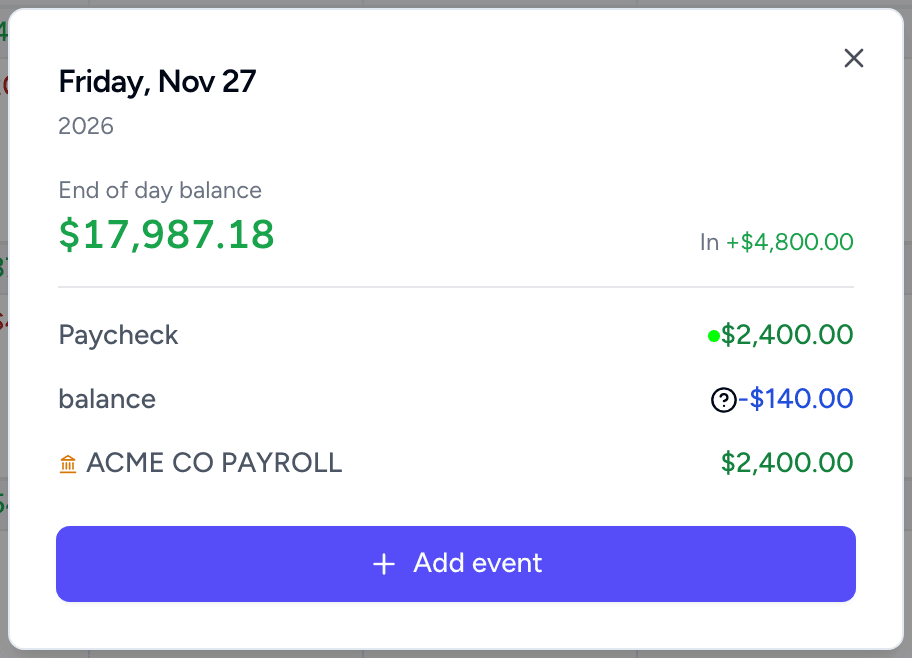
- Click a day's date bar to open its dialog. It shows the date, End of day balance, what came In and went Out, and every transaction on that day.
When a day has more transactions than fit in its cell, click +N more to list the rest.
See the month-end projection
The calendar has no separate month-end figure. Use the arrows beside the month name to open the month, then read the balance on its last day. That is the projected balance at month end.
Good to know
- Days in the past show the balance as of that day. Days ahead are projections from your scheduled and recurring transactions.
- Amber needs a threshold. Set one under Warn when balance drops below in your calendar settings. It only changes colours. It does not send alerts.
- Adjustments correct the balance to your bank. They are not counted in the In and Out totals.
- If a bank connection stops syncing, Today's Balance changes its label, because the number is no longer current.

